
WikMail
Build 1971
Size: 1 KB
Downloads: 5073
Platform: Windows (All Versions)

Nowadays, the email is the main method for keeping in touch with other people or changing and sharing files. While most email providers offer a web-based interface for reading and writing messages, there are some who don't. For example, company email servers don't usually have a web interface, for security reasons. That's why the only method of accessing emails for these providers is to use an email client. Using an email client is a good idea even if the provider offers a difficult to use web-based interface. The most popular email client is MS Outlook but definitely not the best. I say this because the program is included in the Office pack, thus being expensive, it takes up a lot of system resources and it's difficult to use by inexperienced computer users.
WikMail is a much better choice for most people because it's an email client that offers exactly what the user needs, in a light package, using an intuitive interface. But that's not all that's intuitive, because the installer is also very easy to use. When running the program, a small window will be displayed, which allows the user to quickly see if he's got new messages and if he does, he can preview them. For this to work, one should first configure his email account. This requires knowing the POP and SMTP server address and also the port for each of them.
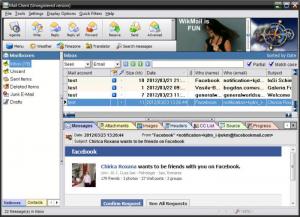
With a push of a button, the actual email client can be launched. Its interface resembles the one of other email clients, being simple to use and featuring some graphical buttons. Using these buttons, the user can easily check for new messages and can perform certain actions regarding them, like replying or forwarding them to another address.
Besides receiving emails, WikMail can, of course, create messages. These can contain text in different shapes and sizes and also media content, like images or sound files. For making it easier to send emails to the same addresses, there is an agenda included in the program which can store an unlimited number of contacts, together with some information regarding each one of them, like their name, telephone number, address and so on.
A received message can be saved as a text or image file and can be even exported to PDF. Besides that, the list of contacts and messages can be exported as a file, to be used in other email clients or for backup purposes.
Pros
It features a small widget which allows easily checking for new messages and previewing them. Besides that, messages can be created using various types of fonts and also using media items, like images or sound files.

Cons
The interface seems too crowded. WikMail is a complete email client with numerous features.

WikMail
Build 1971
Download
WikMail Awards

WikMail Editor’s Review Rating
WikMail has been reviewed by Jerome Johnston on 29 Mar 2012. Based on the user interface, features and complexity, Findmysoft has rated WikMail 4 out of 5 stars, naming it Excellent







